Slide # 1

Slide # 1

Far far away, behind the word mountains, far from the countries Vokalia and Consonantia, there live the blind texts Read More

Slide # 2

Slide # 2

Far far away, behind the word mountains, far from the countries Vokalia and Consonantia, there live the blind texts Read More

Slide # 3

Slide # 3

Far far away, behind the word mountains, far from the countries Vokalia and Consonantia, there live the blind texts Read More

Slide # 4

Slide # 4

Far far away, behind the word mountains, far from the countries Vokalia and Consonantia, there live the blind texts Read More

Showing posts with label Android Application. Show all posts

Sunday, January 31, 2016

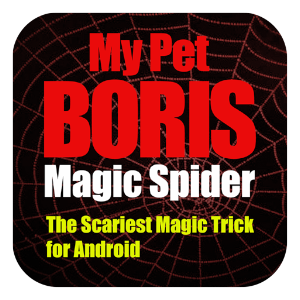
Magic Spider

Added:1-31-2016
Cover art
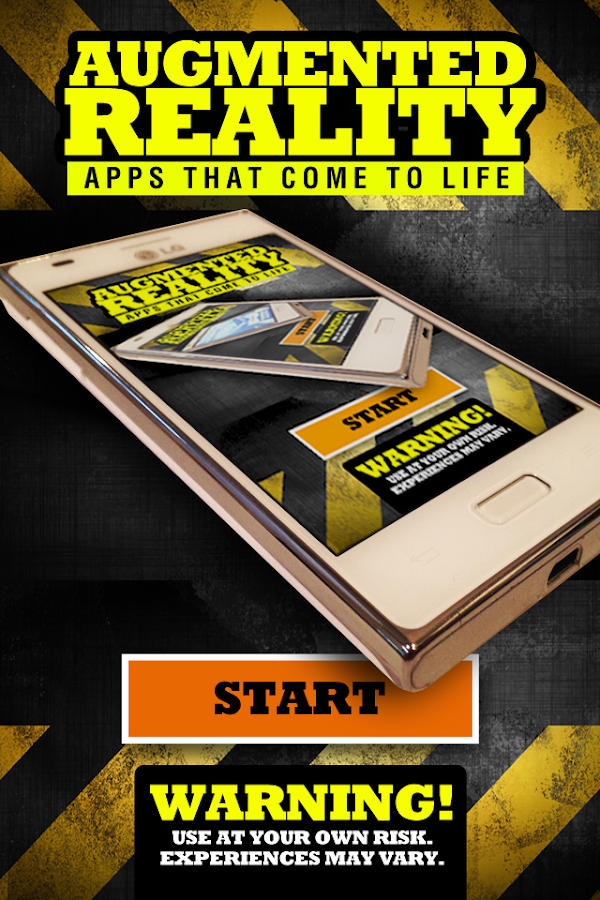
   Magic Spider- screenshot
   Magic Spider- screenshot
   Magic Spider- screenshot
   Magic Spider- screenshot
   Magic Spider- screenshot
   Magic Spider- screenshot
   Magic Spider- screenshot
   Magic Spider- screenshot
Do you know anyone who is afraid of spiders? Everyone is, right? 
Then this is the perfect magic trick/prank for you.
My Pet Boris app is the scariest app for the Android. Inspired by Jim Pace's magic trick "The Web" where a spider magically appears on the back of your spectator's hand. Bound to get amazing reactions. The app uses the idea of "Augmented Reality" merging real life objects with computer generated graphics to create a truly frightening effect.

THE MAGIC SPIDER EFFECT
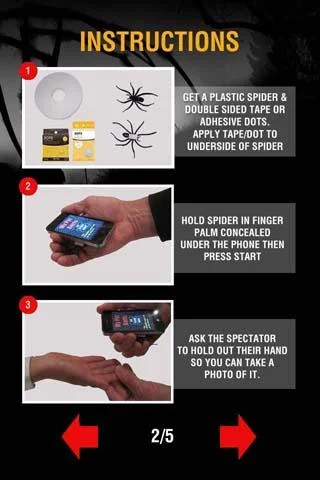
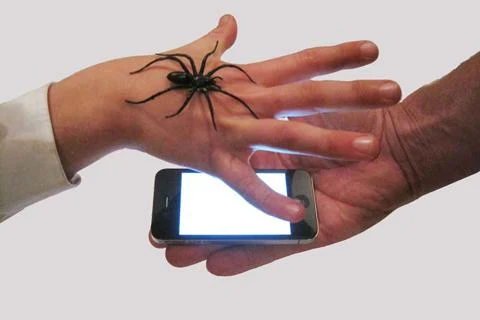
You take a photo of the spectator's palm (secretly loading a plastic spider on the back of their hand) and place the phone on their palm to hold.
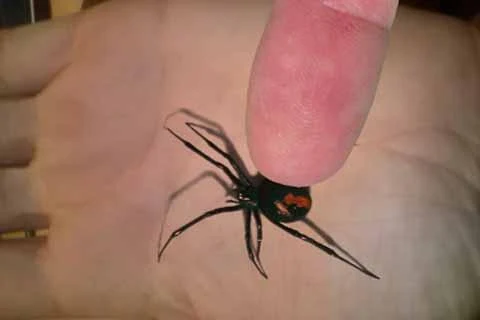
Your Pet Boris - an Australian Red back spider (black widow) creeps onto the screen and they can feel the vibrations as it walks. You can tap the screen and even slide your finger into the animation to scratch the spider's back. Boris walks off the screen.
You tell them that the phone has special sensors that when you wave your hand over the screen it makes the spider come back. He does.
You get them to wave their hand over the phone.
It is just then that they glimpse a realistic spider clinging to the back of their hand and they FREAK OUT!!
Bound to get BIG reactions. Finger tone and size can be set to suit your own. Start-up screen can be customized to suit your performance style. An actual photo of their hand, solid white or any image from your library can be used as a background.
NOTE: Requires a plastic spider or cockroach and adhesive dots to perform. You should be able to find these locally or you can purchase from our website.
THE MAGIC SPIDER WITH CARD REVELATION
You can force a card and vanish a torn corner of the card then have Boris bring the corner back using the App face up or face down. The corner can be moved around the screen then reproduced from under the phone. (From V2.0)
THE MAGIC COCKROACH EFFECT
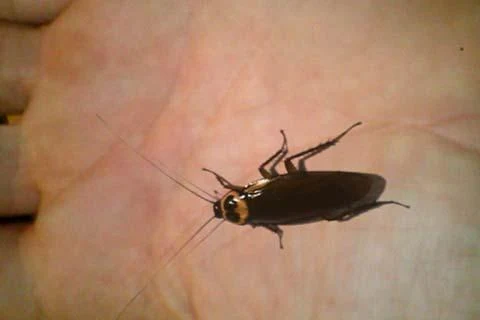
The app also comes with a cockroach animation for those who think they are scarier than spiders.

THE MAGIC BUTTERFLY EFFECT - IN-APP PURCHASE - (for the Professional Magician).
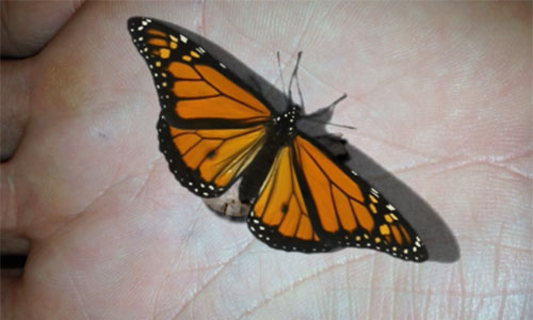
The Magic Butterfly is an additional effect within the Magic Spider – My Pet Boris App.
It is enabled as an “in app purchase” for around $1.99 depending on your local currency. The custom finger feature is also unlocked when you purchase the butterfly effect.
This is a perfect routine for those times when you want to perform a beautiful effect for a little girl or woman, leaving her with a magical gift at the end. You will get similarly strong reactions to the Magic Spider effect without the scare factor.
PRESENTATION:
The magician simulates a grand illusion in the palm of the spectator’s hand. A tiny foil covered “Magical Egg” is placed in the palm of the spectator’s hand and then photographed. The phone is placed on their hand.
The egg transforms into a Chrysalis and then into a butterfly. The magician’s finger is seen to tickle the virtual butterfly on screen which then flies away.
Using a magical gesture the magician brings the butterfly back briefly before it flies off again.
The spectator is asked to try and make it return. When they try, they find a matching butterfly (in an impossible location) on the back of their hand. The original foil egg has vanished
Read more on Google Play

Friday, January 29, 2016

Showbox

Image result for Showbox
Show Box - Free Movies App
Download or watch free movies with the Show Box app on your Android device. The app allows users to stream HD quality movies and shows.
Download here Showbox v4.27 Latest Version
Download here Showbox v3.84 Old Version

Friday, January 22, 2016

How To Play PPSSPP Emulator On Your Android Phones

Image result for ppsspp gold
Added:1-22-2016
INTRUCTION:

1)Download PPSSPP GOLD Emulator from here

2)Install PPSSPP GOLD in your phone.
3)Download PSP GAMES Below of this webpage
4)Extract the PSP GAMES
5)Move Psp Games ISO File in your SDCard
6)Open PPSSPP GOLD And Find Psp Game Then Tap it
Now Enjoy your favorite PSP Games on your Android phone.

HOW TO SETUP YOUR PPSSPP FOR A BETTER WAY Here

REQUIREMENTS:

Emulator For Android

Ppsspp Normal v1,1,1.0 Download here
              OR               
Ppsspp Gold v1.1.1.0 Download here
              OR               
Your Own Psp Gadgets


GAMES:
Aces of War (U)
Assassin's Creed - Bloodlines (U)
Ben 10 - Alien Force (U)
Call of Duty - Roads to Victory (U)
Castlevania - The Dracula X Chronicles (U)
Crash - Mind Over Mutant (U)
Dead or Alive Paradise (U)
Disgaea 2 - Dark Hero Days (U)
Dissidia 012 - Duodecim Final Fantasy (U)
Dissidia - Final Fantasy (U)
Dragon Ball Shin Battle Of Gods (U)
Dragon Ball Z - Tenkaichi Tag Team (U)
Final Fantasy IV - Complete Collection (U)
God of War - Chains of Olympus (U)
God of War - Ghost of Sparta (U)
Gran Turismo (U)
Harvest Moon - Hero of Leaf Valley (U)
Killzone - Liberation (U)
Kingdom Hearts - Birth by Sleep (U)
Kingdom of Paradise (U)
King of Fighters Collection - The Orochi Saga, The (U)
Legend of Heroes - Trails in the Sky, The (U)
Lumines II (U)
Mega Man - Powered Up (U)
Metal Gear Solid - Peace Walker (U)
Midnight Club 3 - DUB Edition (v2)(U)
Midnight Club - L A Remix (U)
Monster Hunter Freedom Unite (U)
Mortal Kombat - Unchained (U)
Naruto Shippuden - Kizuna Drive (U)
Naruto Shippuden - Ultimate Ninja Heroes 3 (U)
Naruto Shippuden - Ultimate Ninja Impact (U)
Naruto - Ultimate Ninja Heroes (U)
NBA 2K13 (U)
Need for Speed - Undercover (U)
Need For Speed - Underground Rivals (U)
Phantasy Star Portable (U)
Pro Evolution Soccer 2013 (U)
Ratchet & Clank - Size Matters (U)
Shin Megami Tensei - Persona 3 Portable (U)
Sims 2 - Pets, The (U)
Spider-Man 3 (U)
Star Wars - The Force Unleashed (U)
Summon Night 5 (U)
Tekken - Dark Resurrection (U)
Tomb Raider - Legend (U)
UFC 2010 Undisputed (U)
Winds of Thunder (U)
WWE All Stars (U)
WWE Smackdown vs Raw 2010 (U)
WWE SmackDown vs RAW 2011 (U)
Yu-Gi-Oh GX Tag Force 2 (U)

Yu-Gi-Oh 5D's Tag Force 5 (U)


Saturday, January 2, 2016

SHAREit

Added:1-2-2016
SHARE it - File Transfer apk
You are downloading SHAREit Latest APK v3.5.38_ww (4030538). SHAREit, great cross-platform tool for near-field communication. Connect friends without external Wi-Fi or cellular data network. Share whenever & wherever. The best transferring speed is up to 20M/s, which is 200 times faster than Bluetooth speed. Just forget about NFC, use our super cool SHAREit!

SHAREit apk file Information:

File name: com.lenovo.anyshare.gps_v3.5.38_ww-4030538_Android-2.2.apk

Version: 3.5.38_ww (4030538)

Download SHAREit APK v3.5:

GBA

REQUIREMENTS:

Image result for my boy

MY Boy Emulator For Android

Download here


INSTRUCTION:

STEP 1:
INSTALL THE MY BOY APPLICATION
YOU CAN DOWNLOAD MY BOY HERE


STEP 2:
WHEN YOU OPEN THE MY BOY....
THEN FIND THE GAME WHERE YOU PUT IT
YOU CAN DOWNLOAD GBA GAMES BELLOW THIS PAGE


STEP 3:
HERE THE GBA GAMES
THEN CLICK THE GAMES 


STEP  4:
HERE I CLICKED THE FINAL FANTASY IV ADVANCE
AND READY TO PLAY NOW


BY:TRICKSYDROID

GAMES:GBA GAMES ROM

Friday, January 1, 2016

Ppsspp Games


INSTRUCTIONS:
1)Download PPSSPP GOLD from here
2)Install PPSSPP GOLD in your phone.
3)Download PSP GAMES in CSO or ISO file format
4)Place download ISO or CSO file in your SDCard or Wherever you want.
5)Open PPSSPP GOLD and then go to GAMES and find the location where you have placed the PSP GAME’s CSO or ISO file and its DONE. Now Enjoy your favorite PSP Games on your Android phone.

REQUIREMENTS:


Emulator For Android

Ppsspp v1,1,1.0  here
Ppsspp Gold v1.1.1.0  here

             OR

Your Own Psp Gadgets
Games:here